Efficiently compress and encrypt files, supporting various formats and large archiving tasks
Efficiently compress and encrypt files, supporting various formats and large archiving tasks
Vote (14 votes)
Program license Trial version
Developer PKWARE
Version 16.1.6
Works under Windows
Vote
(14 votes)
Developer
PKWARE
Works under
Windows
Program license
Trial version
Version
16.1.6
Pros
- Excellent compression ratios and large archive support
- Strong encryption and digital signing features
- Wide range of compatibility with various archive formats
- Command-line and graphical interface options
Cons
- Free trial requires registration and is limited to 30 days
- Occasional slowdowns with exceptionally large archives
- Subscription required for continued use after trial
Legendary file compression suite offering advanced encryption and broad format support
Comprehensive File Compression and Archiving
PKZIP has been a prominent name in file compression since its launch in 1989. Developed by PKWARE, PKZIP introduced the ZIP file format and rapidly became a staple utility for file archiving and data reduction. The software remains a strong contender for managing, compressing, and encrypting files on Windows platforms, catering to both personal and professional needs.
Performance and Versatility
PKZIP delivers robust compression capabilities. Users can expect reduced file sizes—up to 95% in optimal scenarios—making it highly effective for saving disk space and streamlining file transfers. Its capacity for handling very large archives is notable, supporting archives with billions of files and file sizes well into the exabyte range. This feature makes it suitable for high-volume business environments as well as everyday use.
In terms of format support, PKZIP stands out. It not only handles the ZIP format efficiently but also supports TAR, GZ, BZ2, UUE, XXE, JAR, and various others. This versatility enhances cross-platform compatibility and simplifies exchanging compressed files with users relying on different operating systems and archive tools.
Security Features
A key highlight of PKZIP is its strong security options. Users can password-protect archives and employ advanced encryption methods, providing peace of mind during storage and file sharing. The utility also supports digital signing, adding an extra layer of file integrity verification, which is highly valued in enterprise settings.
User Interface and Usability
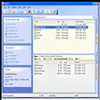
The software adopts an intuitive interface with a familiar two-panel layout: directory navigation on the left and detailed file views on the right. Key features such as file addition, extraction, encryption, and archiving are accessible from the Home tab, minimizing learning curves for new users.
While performance is typically fast, especially for medium-sized tasks, some slowdowns may occur when processing exceptionally large archives. Despite this, PKZIP maintains reliability, rarely crashing during intensive operations.
Trial and Licensing
PKZIP is available as a free 30-day trial, after which a premium license is required. The trial download process involves filling out a registration form with personal details. While this process might feel cumbersome, it does allow users to evaluate PKZIP's features before committing to purchase. For enterprise requirements, PKWARE also offers SecureZIP, targeting organizations that demand comprehensive security and ongoing support.
Additional Functionality
In addition to its graphical interface, PKZIP includes command-line utilities, making automation and scripting possible for advanced users or IT administrators. This dual approach ensures flexibility for various workflows, from manual to automated archiving.
Conclusion
PKZIP remains a reliable solution for compressing, encrypting, and managing files. Its extensive format support, large archive handling, and strong encryption features make it suitable for both individual and business users. However, limitations in terms of cost and the absence of some cutting-edge features found in newer utilities may prompt some users to consider alternatives.
Pros
- Excellent compression ratios and large archive support
- Strong encryption and digital signing features
- Wide range of compatibility with various archive formats
- Command-line and graphical interface options
Cons
- Free trial requires registration and is limited to 30 days
- Occasional slowdowns with exceptionally large archives
- Subscription required for continued use after trial